
Broadcasts: how to prepare and send one without getting banned
A broadcast in AISAR is an audience, a message, and a schedule, put together in a five-step wizard. Here's how each step works, what rate limits apply on different channels, and how contacts can opt out of broadcasts themselves, with no need to contact support.
What you need to know
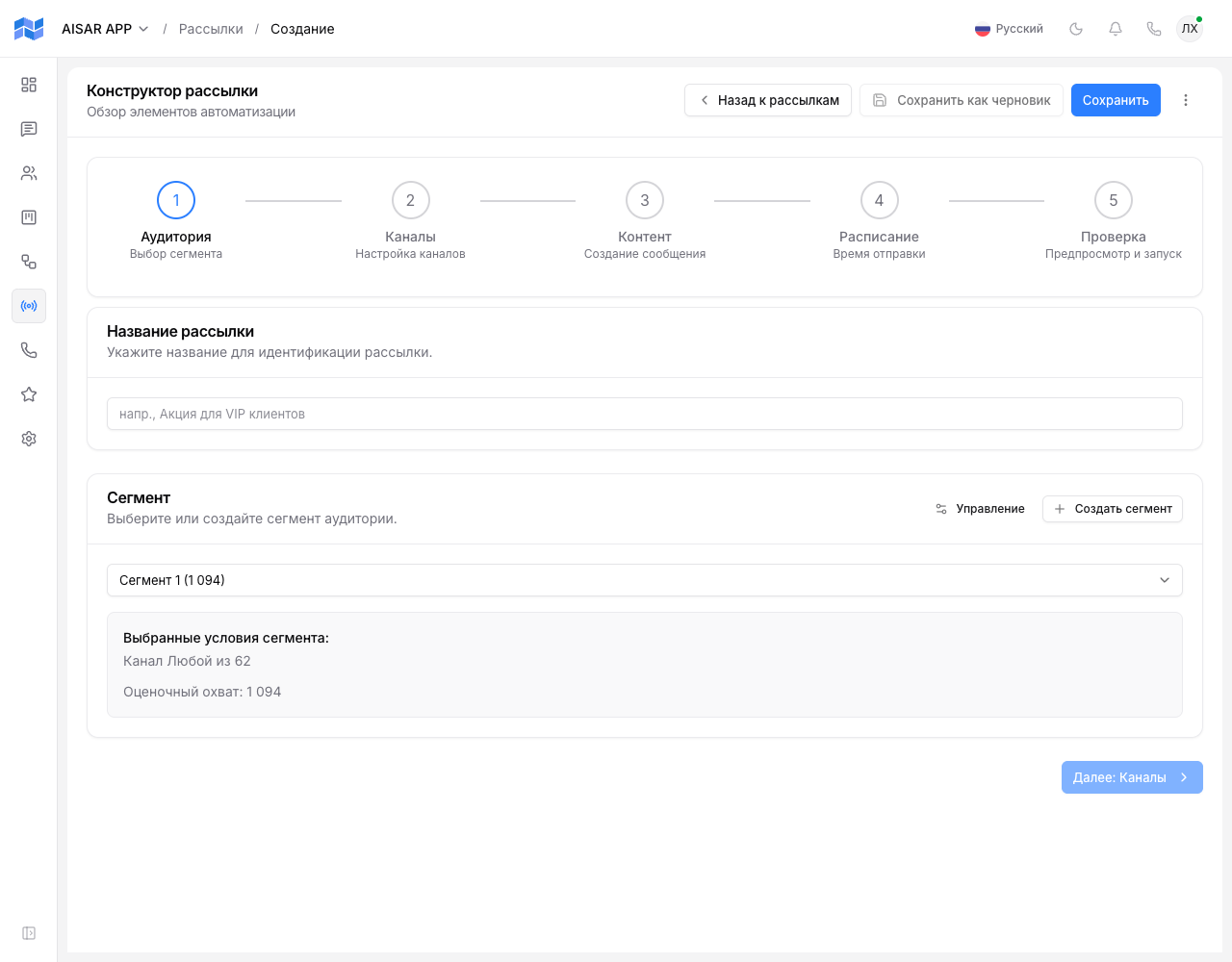
- A broadcast can only go out through already-connected channels — before setting up the audience, make sure the channel you need shows Connected.
- For WhatsApp Business, a broadcast outside the 24-hour messaging window needs an approved template — free-form text doesn't work the way it does on personal WhatsApp or Telegram.
- Launching a broadcast is irreversible — there's no way to undo delivery to recipients the message has already reached.
The five wizard steps
1. Channels
Pick one or several connected channels the broadcast will go through. If a recipient is reachable on more than one of the selected channels, AISAR sends through just one of them rather than duplicating the message.
2. Audience
There are three ways to define the recipients:
- Segment — contacts automatically selected by conditions (a tag or a funnel stage, for example).
- Manual — specific contacts picked from the list, or phone numbers entered directly.
- Mixed — a segment with individual contacts added to or excluded from it on top.
Phone numbers pasted manually or collected into a static segment are accepted in any common shape — with spaces, parentheses and dashes, with quotes carried over from the source spreadsheet, or in the Kazakhstani/Russian form starting with 8 (1 202 555 01 87): AISAR converts them to the international +7... format itself. A string that cannot be recognized as a phone number is highlighted and blocks saving until it is fixed.
This step also shows an estimate of the final audience — how many contacts are actually reachable on the selected channels.
3. Content
The main message text is set right here; for WhatsApp Business, an already-approved template is picked instead of free-form text — see WABA templates: categories, creation, variables. Separately, an A/B test can be turned on: add up to two extra text variants (three in total, A/B/C) — each recipient sees only one of them, and results per variant are shown separately in the broadcast's tab after launch.
4. Schedule
The broadcast can go out right away or be scheduled for a specific date and time. This step also sets the sending pace — how quickly messages go out to recipients one after another, within the channel's limit (next section).
5. Review and launch
The final screen shows the number of actually reachable recipients, the number excluded (say, for lacking a matching channel), and an estimated sending duration. Once confirmed, there's no undoing delivery to messages already sent — only pausing whatever's left, if the status allows it.
Rate limits by channel
| Channel | AISAR limit |
|---|---|
| WhatsApp (personal account) | Up to 15 messages per minute with a randomized gap between them, no more than 1500 messages per day. |
| Telegram (personal account) | Up to 20 messages per minute with a randomized gap, no daily cap. |
| WhatsApp Business (WABA) | No AISAR-side limit — throughput is governed by Meta itself at the account level. See How much the WhatsApp Business API costs and its limits. |
| Instagram Business | No AISAR-side limit either, for the same reason as WABA — see Instagram limits and blocks. |
These limits protect the personal accounts themselves from getting banned, not an arbitrary AISAR restriction — providers detect broadcasts by a sending pace that's too even and too frequent. More on the risks — in How to avoid a WhatsApp ban and How to avoid Telegram restrictions.
How contacts opt out
If a recipient replies with "stop", "unsubscribe", "стоп", or "отписаться" (case doesn't matter), AISAR automatically marks them as opted out of broadcasts — company-wide right away, not just on the channel the reply came in on. That contact won't be included in any future broadcast until the opt-out is cleared by hand.
Common issues
| Symptom | Cause and what to do |
|---|---|
| Part of the audience shows up as "Excluded" before launch even starts | These contacts have no reachable channel among the ones picked on the first step — either they have no linked account on it, or they already opted out of broadcasts. |
| A WhatsApp Business broadcast just fails silently | Check that the Content step used an approved template rather than free-form text — outside the 24-hour window, free-form text doesn't go through on WABA. |
| A WhatsApp/Telegram broadcast sends slower than expected | That's expected — the rate limit and the randomized gap between messages exist to avoid triggering an account ban. |
| A contact keeps getting broadcasts after replying "stop" | Check that the reply came as a standalone message with one of the exact keywords, no typos or extra text around it — contact AISAR support if the word was right and the opt-out still didn't take. |
See also
Building an audience from customer cards and funnels — in Contacts and deals: customer card, funnels, stages. Why a WABA template might get rejected — in Why a WABA template got rejected and what to do.