
Connecting WhatsApp Business (WABA)
WhatsApp Business API (WABA) connects through Meta's official Cloud API — no QR scanning, no tie to a single phone. Several agents work with the number at once, and approved message templates cover replies outside the 24-hour messaging window. Here's what to prepare in Meta and how to get through the AISAR connect wizard.
What you'll need
- A Facebook account with access to Meta Business (Meta's business dashboard) — the whole authorization flow runs through it.
- A phone number for verification, not already tied up in a way that conflicts with the Cloud API on the same number — Meta verifies it as part of the setup.
- A business display name, website, and address — Meta asks for these when you create or pick a WhatsApp Business Account (WABA).
- Agreement to Meta's platform terms and WhatsApp's terms of use — the wizard's connect button stays disabled until this checkbox is ticked.
Where to find it
In my.aisar.app open Settings → Channels → Add channel, find the WhatsApp Business card in the catalog (marked Popular), and click Connect.
How to connect
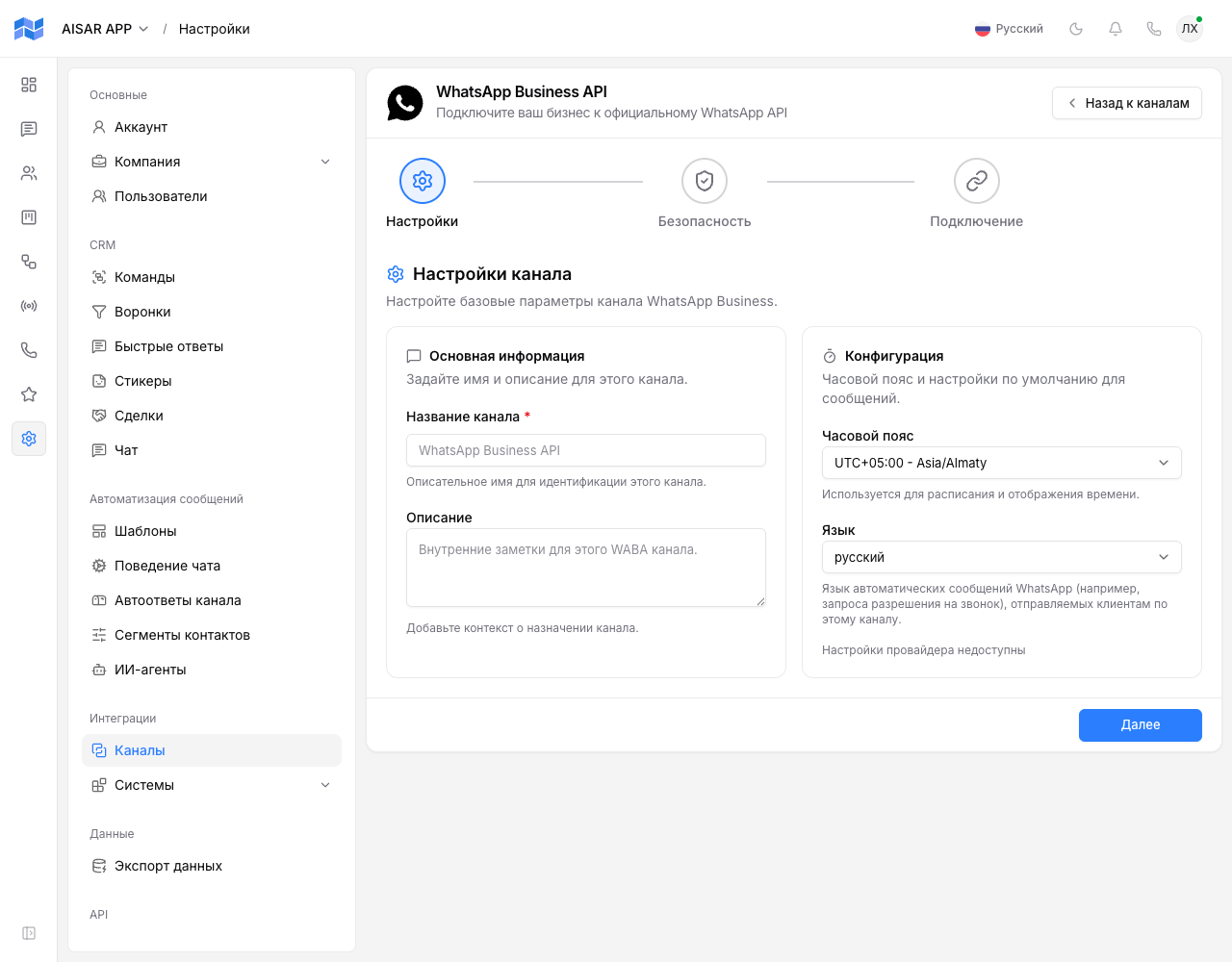
- Click Connect on the WhatsApp Business card — the WhatsApp Business API wizard opens, with three steps: Settings, Security, Connect.
- On the Settings step, enter a Channel name (required), optionally a Description, pick a Timezone, and a Language — the one WhatsApp uses for automated messages it sends to customers on this channel, like a call-permission request.
- On the Security step, choose which teams can see this channel, and whether it allows broadcasts, automations, and inbound message handling.
- On the Connect step, tick the agreement with Meta and WhatsApp terms, then click Connect with Facebook.
- In the Meta Embedded Signup window that opens, sign in to Facebook, pick an existing WhatsApp Business Account or create one, verify the phone number, and fill in the business profile — name, category, description.
- When you're done, the Meta window closes itself, AISAR exchanges the authorization code for access and creates the channel — and may immediately offer to turn on WhatsApp calling (see below).
- The channel switches to Connected status, and the wizard shows a confirmation screen: "Authorization completed" and "WABA verified".
How to check the channel is working
In the channel list (Settings → Channels), WhatsApp Business shows the Connected status. Send a test message to the verified number from another phone — it should show up in AISAR's Chat section. You can reply to the first inbound message with plain text; outside the 24-hour window since the customer's last message, an approved template is required.
Common issues
| Symptom | Cause and what to do |
|---|---|
| The Meta window closes itself with an auth error before finishing | Meta aborted the Facebook sign-in or reported an error status inside its own window — AISAR translates it into plain text and hints on the failure screen. Retrying usually helps, after checking you're signed in to the Facebook account that actually has access to the right Business Manager. |
| The user closed or cancelled the Meta Embedded Signup window | The wizard records this as a cancelled setup and shows a failure screen with hints — just start the connection again and complete the Meta window this time. |
| On a mobile browser, Meta's window doesn't hand a result back to AISAR | Meta's popup + postMessage flow is unreliable on mobile browsers, so AISAR switches to a full-page redirect through a dedicated callback page — just wait to land back on my.aisar.app instead of closing the tab yourself. |
| The plan channel limit is reached when trying to connect WhatsApp Business | Your company's plan caps how many channels can be connected at once. Disconnect an unused channel, or raise the limit with an extra-channel add-on in Billing. |
| Messages to a customer don't get delivered outside the 24-hour window | This is WhatsApp Business API's own limit, not AISAR's: outside the reply window you need an approved message template — the "Templates" section in AISAR. |
See also
Need a quicker start with no Meta verification, for a single agent? See Connecting WhatsApp. For a comparison of personal WhatsApp and the WhatsApp Business API, see aisar.app/guides/whatsapp-vs-waba. Channel features and pricing are on aisar.app/en/channels/whatsapp-business-api.