
Missed calls: how not to lose enquiries
A missed call is an enquiry you already paid for in advertising and nobody answered. In AISAR such calls do not evaporate: they land in a shared list with their own unreviewed counter, sit in the contact's conversation, and can be called back in one click. Here is how to work through them and how "missed" differs from "rejected".
What you need to know
- A missed call is an inbound call with the status "missed". A call rejected by an operator and a call answered elsewhere are separate statuses and do not count as missed.
- The unreviewed-missed counter is personal: it is based on what you have already opened, not on what a colleague opened.
- A call is tied to a contact and their conversation — messages and calls live in one place, so a call-back can be replaced by a message if the customer prefers.
Where to find missed calls
The Chat section has a "Calls" filter — a call log with two tabs, "Missed" and "All". The tabs carry counters, and next to them is a search by number or name. The unreviewed-missed counter is the working queue: it shrinks as you open the cards.
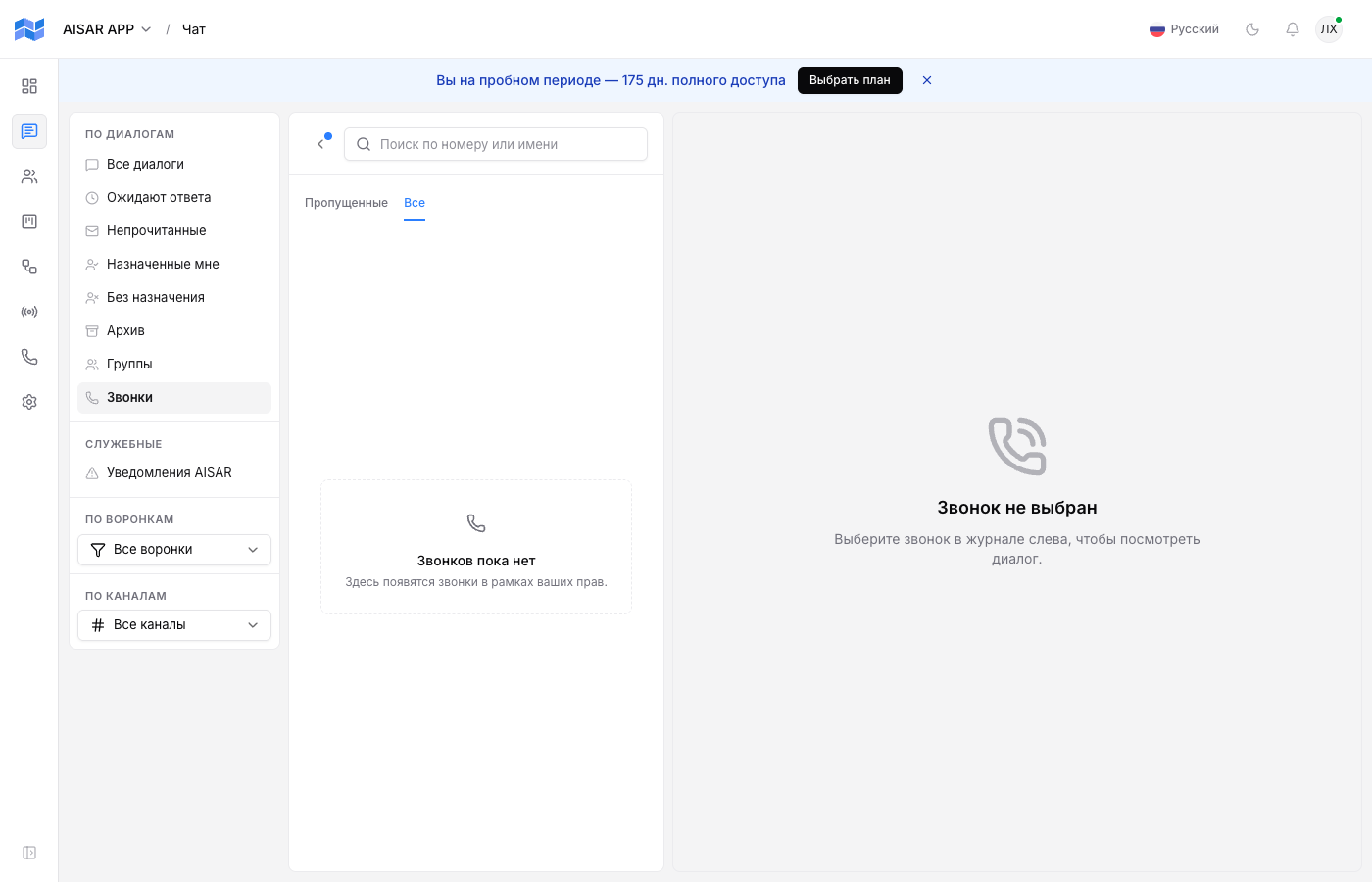
The list filters by direction (inbound or outbound), by channel, by who took the call, by date range and by search. For a morning review the handiest combination is inbound plus a "yesterday evening" range.
Working through them
- Open the "Calls" filter and look at the unreviewed-missed counter — that is your task list for the next few minutes.
- Open the call card. It shows the contact, the time, the channel and all past correspondence — no need to call back blind.
- Call back straight from the card, or write in the messenger if that is where the customer wrote before.
- If the call did not happen, leave an internal note in the conversation — a colleague will not call the same person twice.
Call statuses
| Status | What happened |
|---|---|
| Missed | Nobody picked up an inbound call. These are the calls the missed counter is built from. |
| Rejected | The call was deliberately declined. It does not count as missed but is visible in the list. |
| Answered elsewhere | The call rang for several employees and someone else took it. No enquiry was lost. |
| Answered / completed | The conversation took place. If recording is on, audio is attached to the call. |
| Failed | The call failed for a technical reason — a reason to check the telephony channel rather than to call back. |
Call recordings
A recording appears on the card only after the file is stored. While it is still processing, or if recording was off, there is no player on the card — that is a normal state, not an error. A missed call never has a recording: there was no conversation.
How to miss fewer
- Keep the softphone tab open for the whole shift — a closed tab means the call never reaches the operator.
- Set working hours and an auto-reply: a customer calling out of hours at least gets a clear message instead of silence.
- Review the statistics weekly: if misses cluster in the same hours, the problem is the shift schedule, not the people.
Common issues
| Symptom | Cause and what to do |
|---|---|
| The missed counter does not go down | What goes down is the unreviewed counter, and only when you opened the card: it is personal. The total number of missed calls in a period does not change — that is history. |
| A colleague handled the call but it is still unreviewed for me | That is by design: "unreviewed" is tracked per user. Agree who works the queue, or leave a note in the conversation. |
| A call is marked missed although a colleague answered | Check the status: a call answered by someone else has its own. If the status really is "missed", the call never reached the devices. |
| An answered call has no recording | Either the recording is still processing, or it was not enabled for that channel. The player appears only for a stored recording. |
See also
Softphone setup and taking calls are in Calls and the softphone. The out-of-hours auto-reply is in Working hours and auto-replies. Who owns an enquiry is in Conversation assignment.