
WABA templates: categories, creation, variables
Outside the 24-hour messaging window, WhatsApp Business only accepts message templates Meta has already approved. Here's what the three template categories are, what a template in AISAR is made of — header, body, footer, buttons, variables — and how to get through Meta's review on the first try.
What you need to know
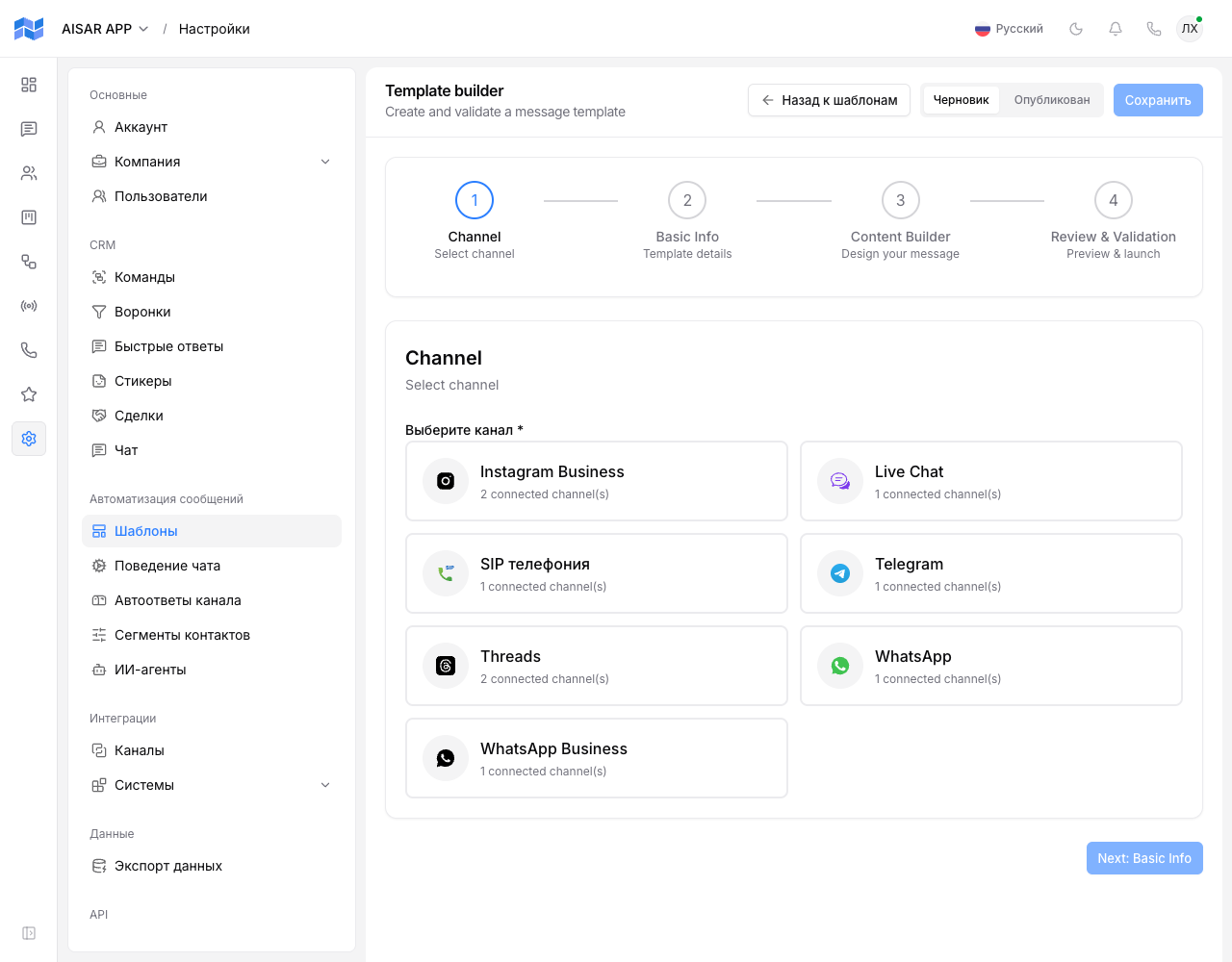
- Templates are only needed for the WhatsApp Business API (WABA) — they go through Meta's review and let you message a customer outside the 24-hour window. Inside the window, plain text works fine — see The WhatsApp Business 24-hour window: how it works.
- A template is created under Settings → Templates and moves through AISAR's own statuses — Draft, Published, Archived — separately from Meta's review status.
- Don't confuse message templates with quick replies (snippets): snippets aren't moderated and only work inside an already-open window — see Working in AISAR chat.
The three template categories
| Category | What it is for |
|---|---|
| Marketing | Promotions, news, marketing offers — the category Meta reviews most strictly. |
| Utility | Notifications about something already underway — an order, a booking, a status update or reminder — non-promotional content. |
| Authentication | One-time verification codes. This category has a fixed shape: no header and no custom buttons — a built-in code button instead, plus a code-expiry setting (1-90 minutes). |
How to create a template
- In Settings → Templates, click Create template, give it a name, and pick a WhatsApp Business channel (several at once are allowed).
- Choose a Category (marketing, utility or authentication) and a Language — one logical template can have several language versions, each reviewed by Meta separately.
- Fill in the Body (up to 1024 characters) — the main text. Variables are written only in named form —
{{customer_name}}, not{{1}}— easier to read; AISAR maps them automatically when submitting to Meta. - For every variable used in the text, provide a sample value — Meta requires one to review the template (for
{{customer_name}}, for example, "John"). - Optionally turn on a Header (text up to 60 characters, or an image/video/document) and a Footer (text up to 60 characters) — unavailable for the "Authentication" category.
- Optionally add up to 10 buttons — quick reply, URL, or phone — each with a label up to 20 characters.
- Save and publish the template — publishing automatically submits it for Meta's review.
Meta's review
After publishing, AISAR shows Meta's review status separately from the template's own status: Under review → Approved or Rejected. The review usually takes 1-2 business days. While it's still "Under review", or the template only exists locally, it can't be sent to customers yet — only once it's "Approved".
A specific template's review history — when it was created, submitted, approved, or rejected — is visible on its card: an event log tracks each language version.
Common issues
| Symptom | Cause and what to do |
|---|---|
| AISAR refuses to save the template: "Use only named variables" | Replace positional variables like {{1}} with named ones, e.g. {{customer_name}}. |
| Error: "Sample value is required for variable" | Every variable used in the body, header, or footer needs a sample value filled in — Meta won't accept the template for review without one. |
| Can't add a header or buttons to an "Authentication" category template | Expected: authentication templates follow a fixed Meta format — no header, no custom buttons. |
| The template is already approved, but the text needs to change | Edit the template and resubmit it for review — AISAR detects the version at Meta is stale on its own and offers to resubmit. |
| Meta rejected the template | The rejection reason shows right in the template list under the status badge. For common causes, see Why a WABA template got rejected and what to do. |
See also
If Meta rejected a template, see Why a WABA template got rejected and what to do. For exactly when a template is required, see The WhatsApp Business 24-hour window: how it works. For how template messages are priced, see How much the WhatsApp Business API costs and its limits.