
A channel is stuck reconnecting: what to do
A channel showing "Reconnecting" is almost never a reason to worry — AISAR restores the session with the provider on its own within a few minutes. Here's what every channel status means, when reconnecting resolves itself, and when it genuinely needs your intervention — and how to handle that for each channel type.
Channel statuses
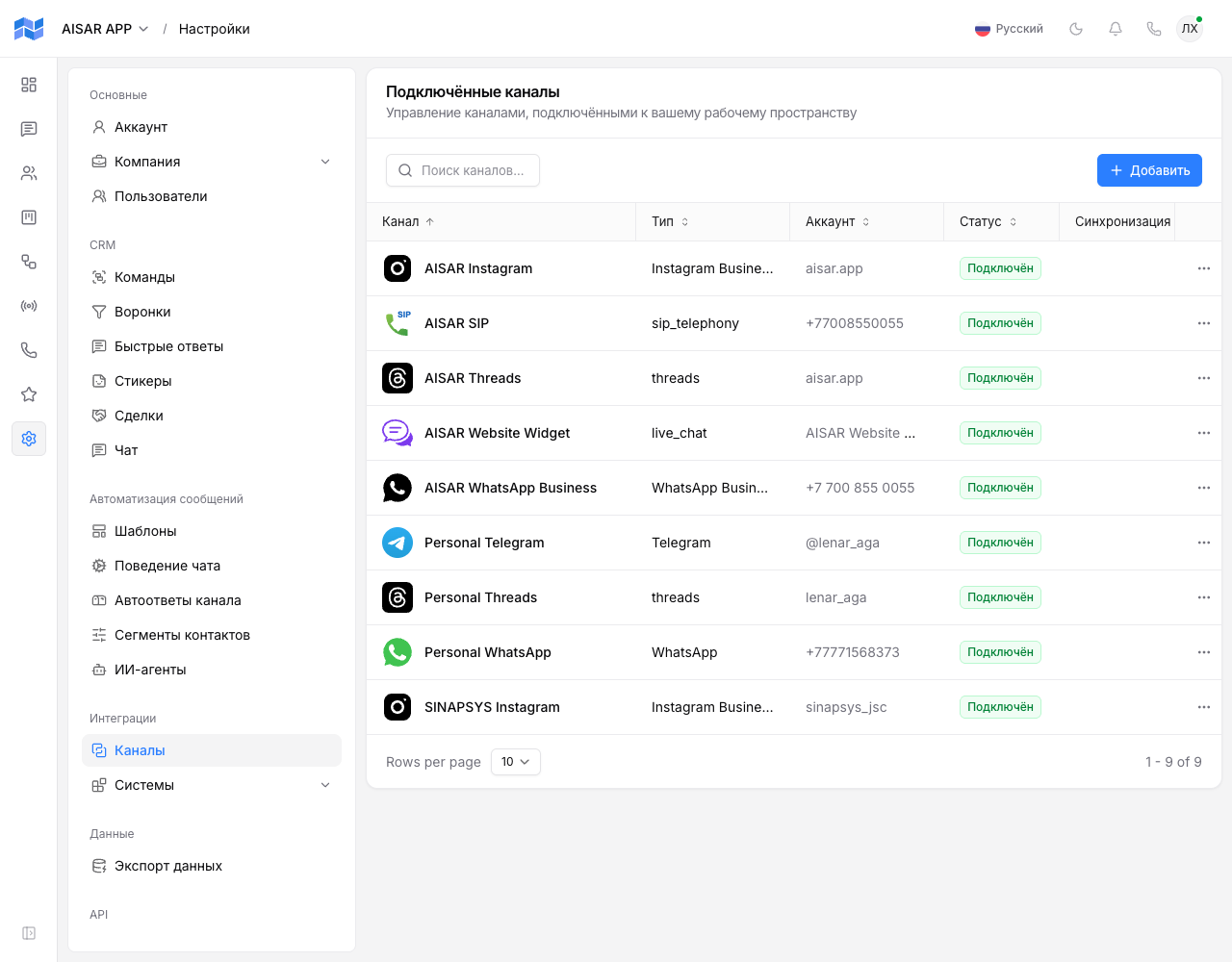
| Status | What it means |
|---|---|
| Connected | The channel is working: messages flow both ways, broadcasts and automations are available. |
| Connecting | The initial connection hasn't completed yet — the wizard is waiting for the provider to confirm. |
| Reconnecting | The channel briefly lost its connection to the provider and is restoring the session on its own — this usually clears up without you doing anything, within a few minutes. |
| Disconnected | The channel isn't linked to the provider: either it was never connected, or the automatic recovery failed and it needs a manual restart. |
| Paused | The channel is connected but temporarily not processing messages — the link to the provider itself is kept. |
| Expired | The provider invalidated access (the token expired or was revoked) — the channel needs to be re-authorized. |
| Banned | The provider banned the account itself — the most serious state: until the provider lifts the ban, the channel neither sends nor receives messages. |
Only the Connected status allows outbound messages, broadcasts, and automations through — every other status pauses sending.
When reconnecting resolves on its own
For WhatsApp and Telegram (personal accounts connected as a linked device), reconnecting is the normal mechanism: a brief drop in the connection to the provider, a runtime restart, or a short AISAR server outage all show up as "Reconnecting" rather than "Disconnected". The session itself isn't reset — AISAR resumes it from the saved keys, with no new QR code needed. The channel screen shows a "Reconnect attempts" counter — if it keeps climbing and the channel stays in this status for more than a few minutes, move on to the section below.
When a fresh QR code is genuinely needed
For QR-connected channels (WhatsApp, Telegram) there are three situations where the session itself can't be recovered, and AISAR immediately moves the channel to "Disconnected" instead of looping in "Reconnecting": the session was logged out on the provider's side (logged_out), the session is corrupted (bad_session), or the QR code that was waiting to be scanned expired (qr_expired). All three need a fresh connect cycle with a new QR code or pairing code — see QR code won't scan or keeps failing for the causes and requirements.
How to reconnect a channel
In Settings → Channels, a channel with the status Disconnected, Reconnecting, or Expired shows a "Reconnect" button. From there, the scenario depends on the channel type.
| Channel type | What happens on reconnect |
|---|---|
| WhatsApp, Telegram (personal account) | AISAR tries to resume the saved session; if that fails, it shows a new QR code or offers a pairing code, the same as on first connect. See Connecting WhatsApp, Connecting Telegram. |
| WhatsApp Business (WABA), Instagram Business, Threads, Facebook Messenger | The wizard re-runs Meta's official authorization (Embedded Signup / OAuth) and swaps in a fresh access token — the channel's data, conversations, and templates are kept. See Connecting WhatsApp Business (WABA), Connecting Instagram Business, Connecting Facebook Messenger, Connecting Threads. |
| Telegram Bot | Requires entering a new bot token obtained from @BotFather — for example, if the old one was revoked. |
| Live Chat | There's nothing to reconnect: the widget token never expires, the button just reports it's already connected. |
| SIP telephony | Re-registers the trunk on AISAR's telephony bridge. Available only to users with the company telephony-management permission. |
Banned or expired — a more serious case
The Expired and Banned statuses don't clear with the "Reconnect" button — both need explicit action. An expired token is fixed by re-authorizing (see the table above). A banned account is the provider's own decision (say, WhatsApp flagged a broadcast as suspicious): AISAR immediately turns off broadcasts, automations, and inbound handling for that channel to avoid making things worse, and normal operation can only resume once the provider lifts the ban on the account. For what usually leads there and how to lower the risk, see How to avoid a WhatsApp ban and How to avoid Telegram restrictions.
Common issues
| Symptom | Cause and what to do |
|---|---|
| The channel has been stuck in "Reconnecting" for hours, the attempts counter keeps growing | Click "Reconnect" manually — if that doesn't help either, the session on the provider's side is most likely already invalid and needs a new QR code or re-authorization. |
| The status keeps flipping between "Disconnected" and "Reconnecting" | This usually means the phone or device the channel is linked to has an unstable connection itself. For WhatsApp/Telegram, make sure the phone gets online regularly — the channel depends on it, the same way WhatsApp Web does. |
| WhatsApp Business or Instagram Business suddenly shows "Expired" with no obvious cause | Meta periodically invalidates long-lived tokens (for example, when the business account's password changes or the app's permissions are revoked) — click "Reconnect" and go through authorization again. |
| The "Reconnect" button for SIP telephony is unavailable | The action is restricted to the company telephony-management permission — ask an administrator if you should have it. |
If nothing helped
If a channel won't leave "Reconnecting" or "Disconnected" more than half an hour after a manual attempt, contact AISAR support — include the channel name and the last time it was working normally.
See also
Why a QR code fails to scan — in QR code won't scan or keeps failing. Ban prevention — in How to avoid a WhatsApp ban and Instagram limits and blocks.