
Working hours and auto-replies: greeting and out-of-hours message
A customer writes at 23:40 and the team starts at 9:00 — silence reads as "they're out of business". Set the company's working hours and two auto-replies: a greeting at the start of a conversation and an out-of-hours message. Here's how working hours are calculated, which auto-reply wins, and why it arrives once rather than after every message.
What you need to know
- Auto-replies are a company setting, not an automation: they work across every channel at once and require no scenario to be built.
- There are two: a welcome message (at the start of a new conversation) and an out-of-hours message. Both are off by default.
- Working hours are set once in company settings and are not used by the auto-reply alone — other processes that care whether you are open read the same schedule.
Step 1. Set the working hours
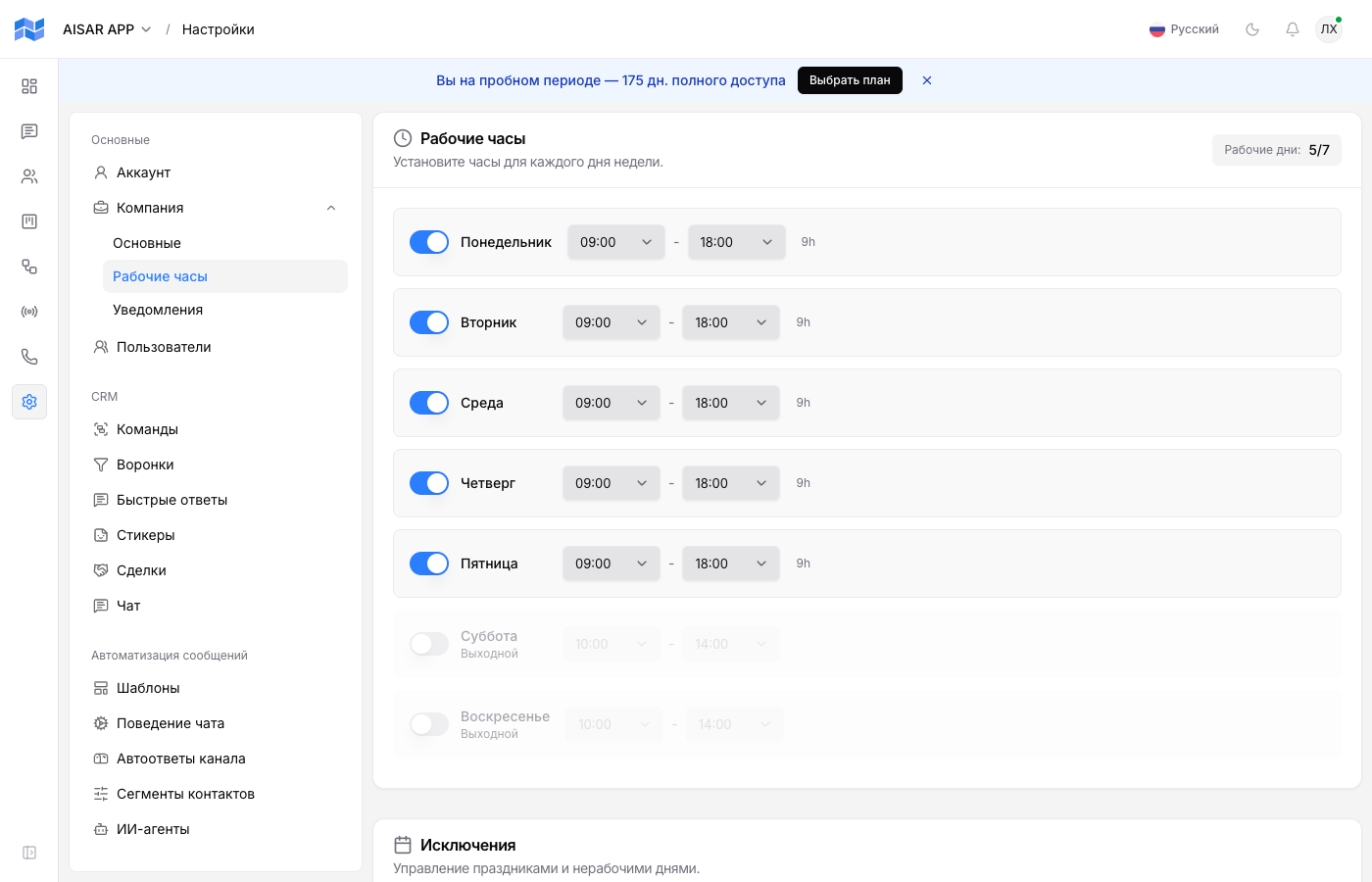
Open Settings → Company → Working hours. Each weekday has a switch plus a start and an end time; a switched-off day is marked "Day off". The top right shows how many days a week are working.
Times are evaluated in the company's timezone, not the operator's or the customer's. If the team works from several cities, the company timezone should be the one you promise response times in.
There is also a list of exceptions — holidays and non-working days with a date and a label. They apply only when "Respect holidays" is on: with it, a listed date becomes non-working entirely, regardless of the weekly schedule.
Step 2. Turn the auto-replies on
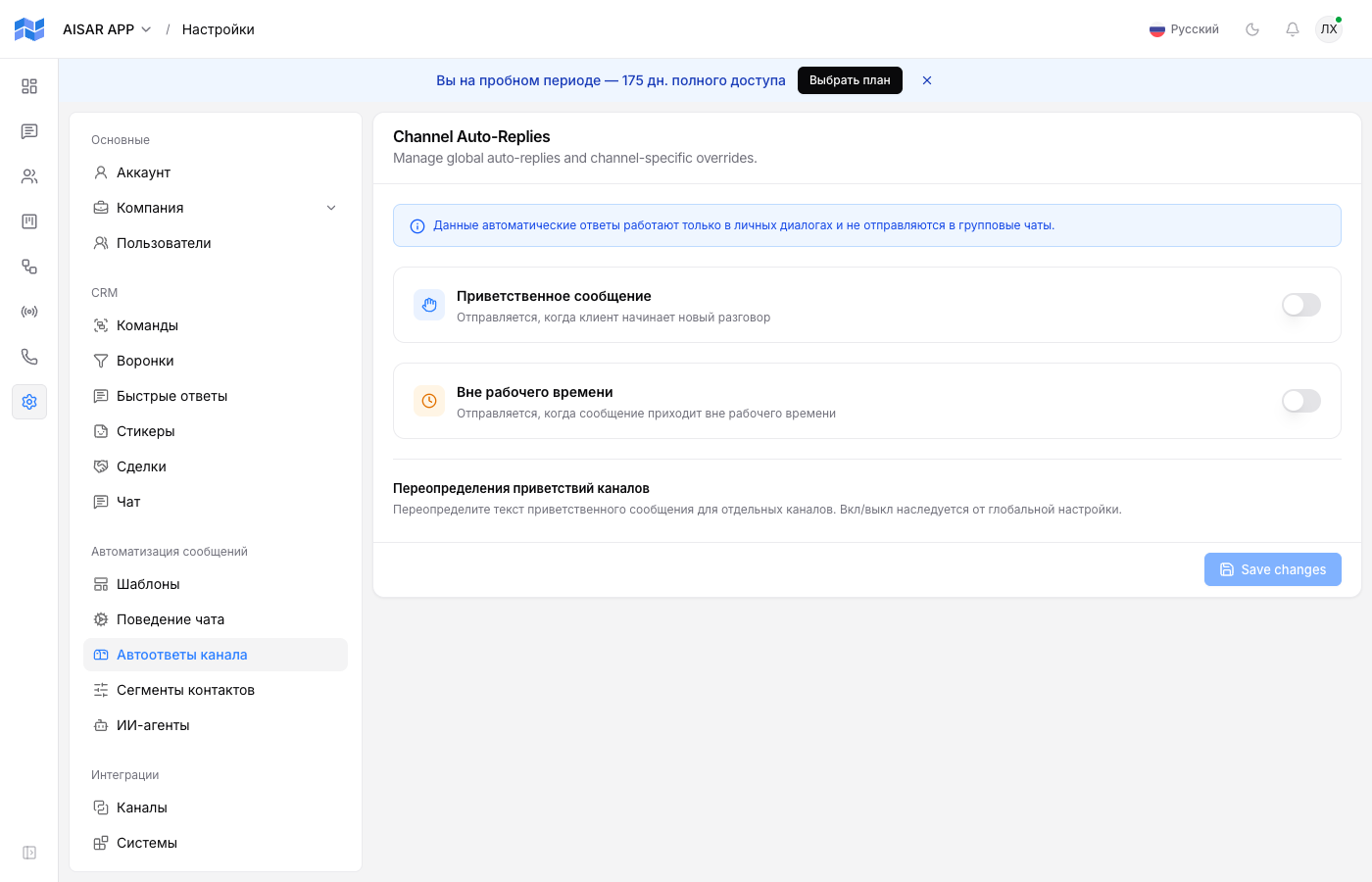
Both auto-replies live in Settings → Message automation → Channel auto-replies: that is where the "Welcome message" and "Outside working hours" switches and their texts are.
| Auto-reply | When it is sent |
|---|---|
| Welcome message | Only at the start of a new conversation, during working hours. It does not repeat on later messages in the same conversation. |
| Out-of-hours message | When an inbound message arrives outside the schedule — including in an ongoing conversation, not only a new one. |
The out-of-hours message reaches the customer once, not after every message they send at night: a repeat in the same conversation is suppressed until the next working day begins. A customer who sends five messages at midnight gets one reply.
Different greetings per channel
The shared greeting is overridden per channel at the bottom of the same page — the "Channel greeting overrides" block. The on/off state is inherited from the global setting: only the text is overridden.
A channel with no override falls back to the shared text. The out-of-hours message has no per-channel overrides — there is one per company.
What to write
- In the out-of-hours message name the response time, not the absence: "We are online 9:00 to 18:00 on weekdays and will reply in the morning" beats "We are away right now".
- In the greeting, ask for whatever speeds up the operator's first reply — an order number, a city, the gist of the question.
- Do not promise what you cannot keep: "we reply within 5 minutes" at night reads as a lie if the team starts at 9:00.
Common issues
| Symptom | Cause and what to do |
|---|---|
| No auto-reply arrives at all | Check that the matching switch is on in Chat behaviour and the text is not empty: an empty text silently skips the send. |
| At night the greeting arrives instead of the out-of-hours message | The out-of-hours message is off, so the greeting takes over. Turn it on — it has priority. |
| The "we are offline" message arrives during the day | The weekday has no schedule row, or the date is in the exceptions list while "Respect holidays" is on. Check the company timezone too. |
| The customer writes several times at night but gets one auto-reply | That is by design: a repeat in the same conversation is suppressed until the next working day starts, to avoid spamming. |
See also
If you need a conditional scenario rather than a company-wide auto-reply — tags, assignment, deal creation — see Automations: everyday scenarios. Who picks the conversation up after the auto-reply is covered in Conversation assignment.